
A front-view photo becomes a Thermal configurator with choices for each part.
Hore! Tote: Website and Product Configurator
Interactive Prototype · Website Design & Frontend Development
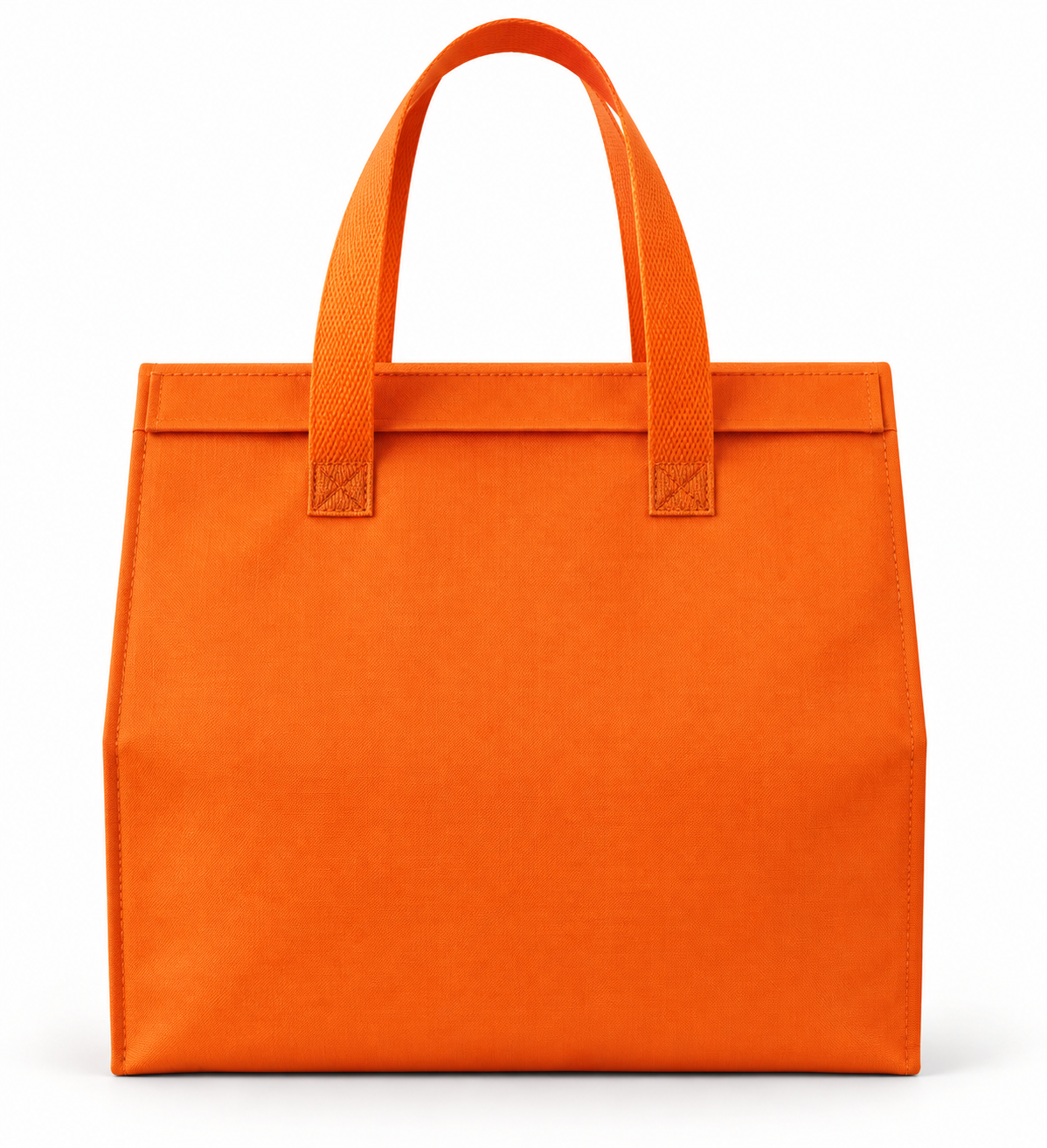
The client gave us a front-view bag photo. We took the initiative to understand which parts could be customized and translate that product knowledge into website rules. For Thermal, the body, top, and handle colors can be selected independently.
View Website Prototype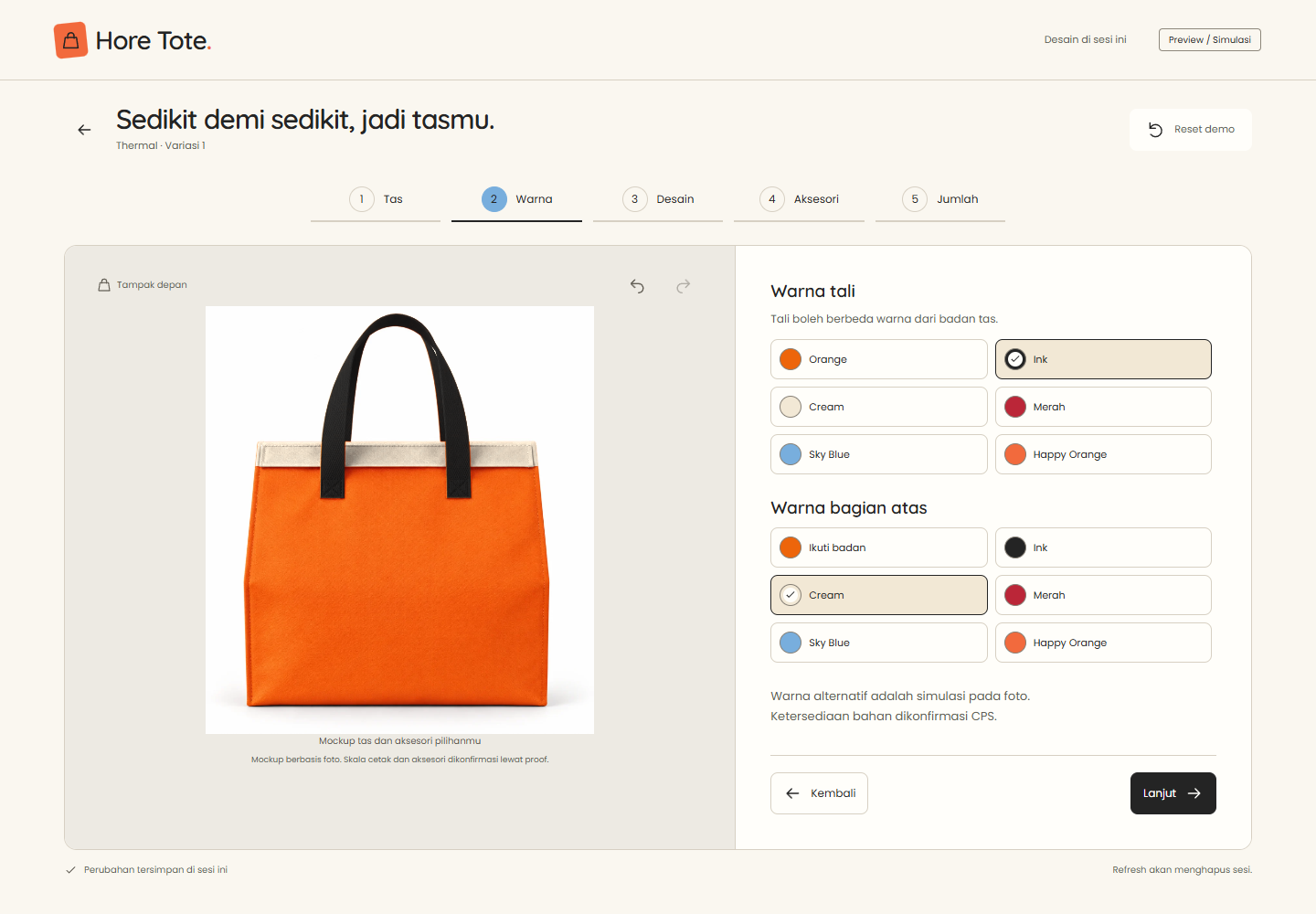
Customers can compare specific designs without photographing every combination. The same photo becomes a starting point for discussing custom options.
A front-view simulation, not a production proof. Colors, materials, and printing methods still need confirmation from the production team.
One photo, different rules for each part.
We prepared an AI-assisted map of the product parts, then connected it to rules for color and design coverage. The body, top, and handles each have a distinct role in the configurator.
Client Photo
AI-assisted Part Map
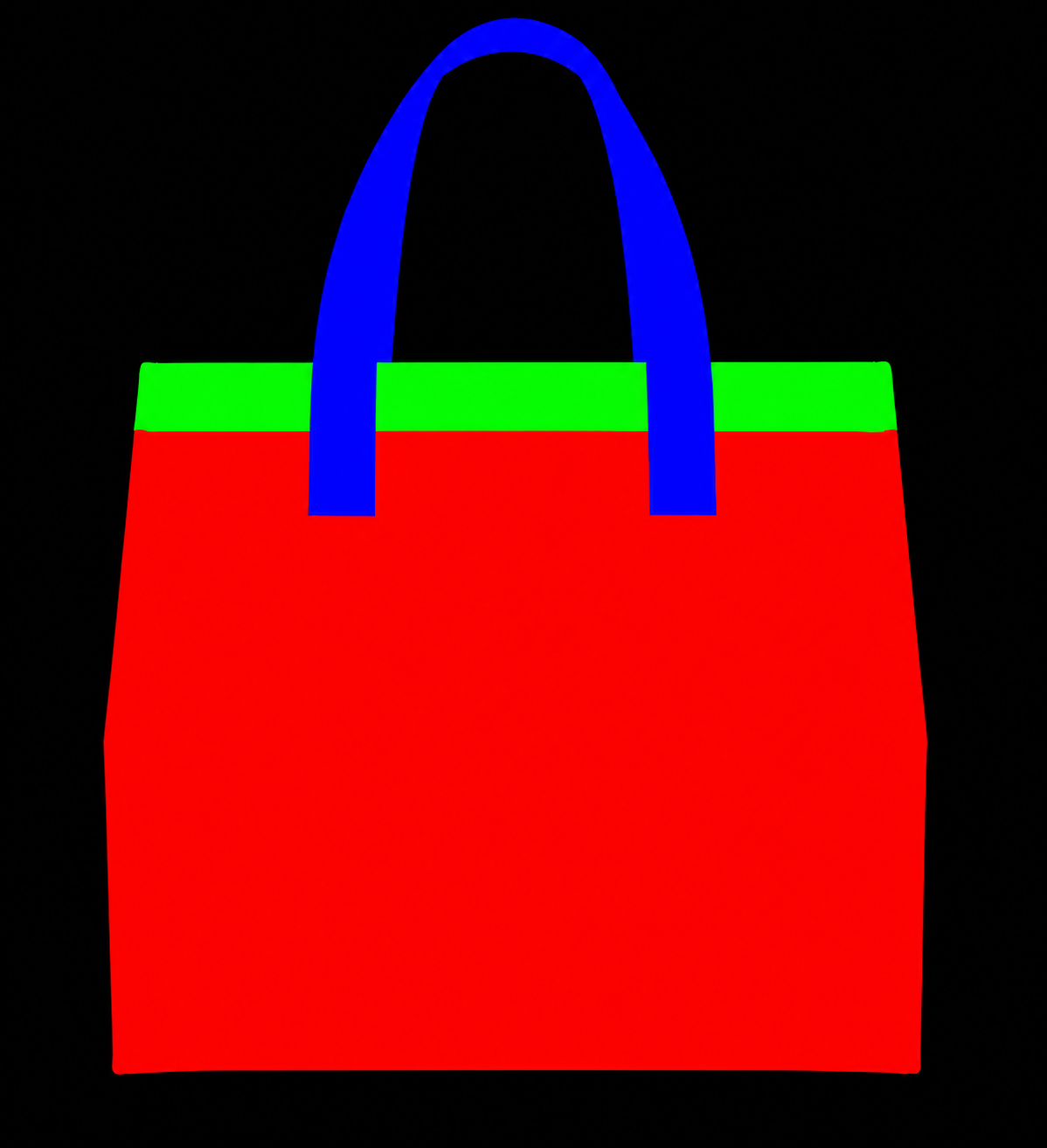
- Red: body
- Green: top
- Blue: handles
Configurator Result
The browser processes the photo and part map through Canvas 2D, preserving the photo’s texture and light and shade. Code combines the selected colors and patterns; AI does not regenerate the image with each choice.
Patterns can cover the body and top. Handles stay plain.
The same sample pattern can cover the body alone or both the body and top. Switching back to body-only coverage restores the Cream top, while the handles remain Ink.
Body + Top
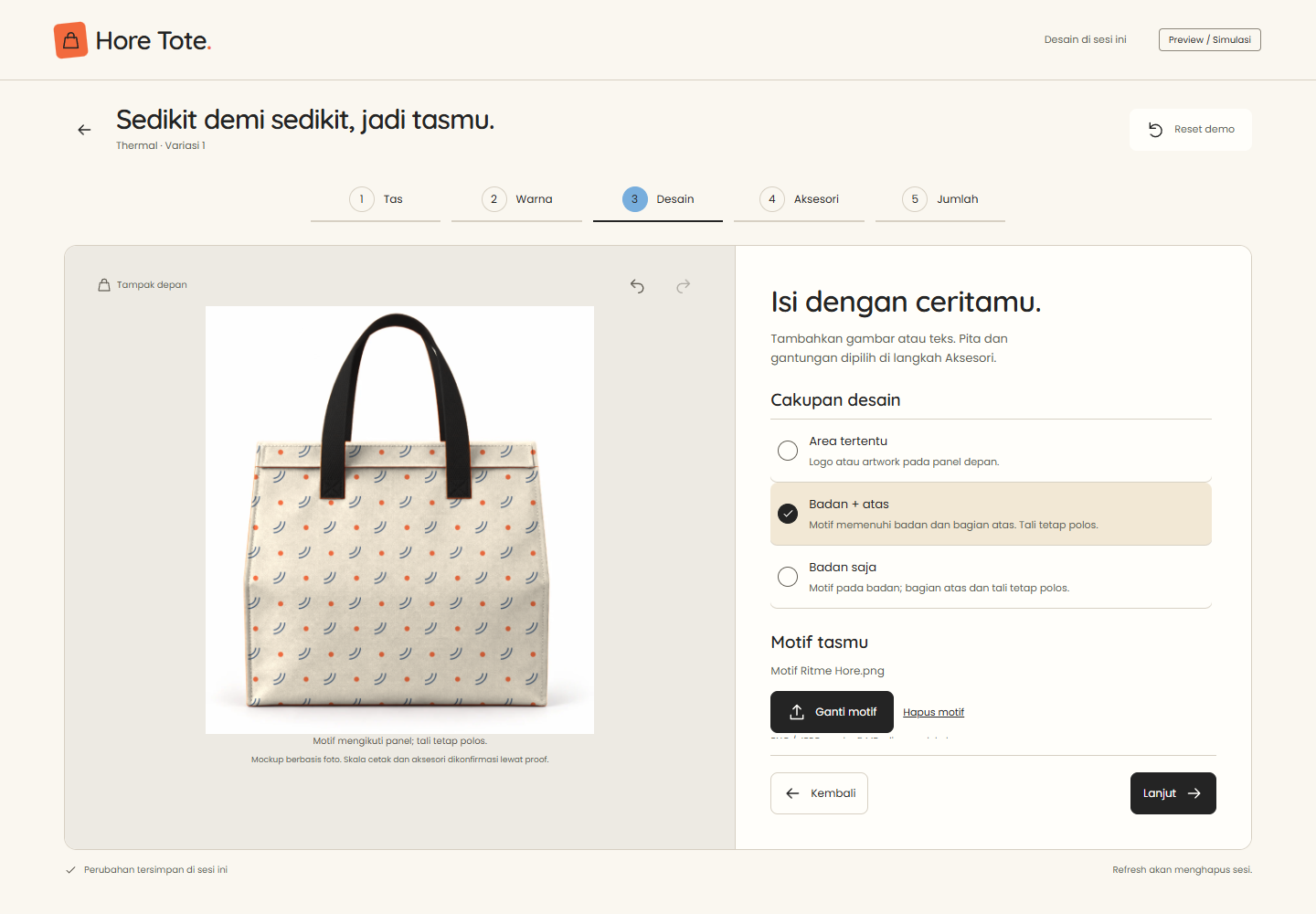
Body Only
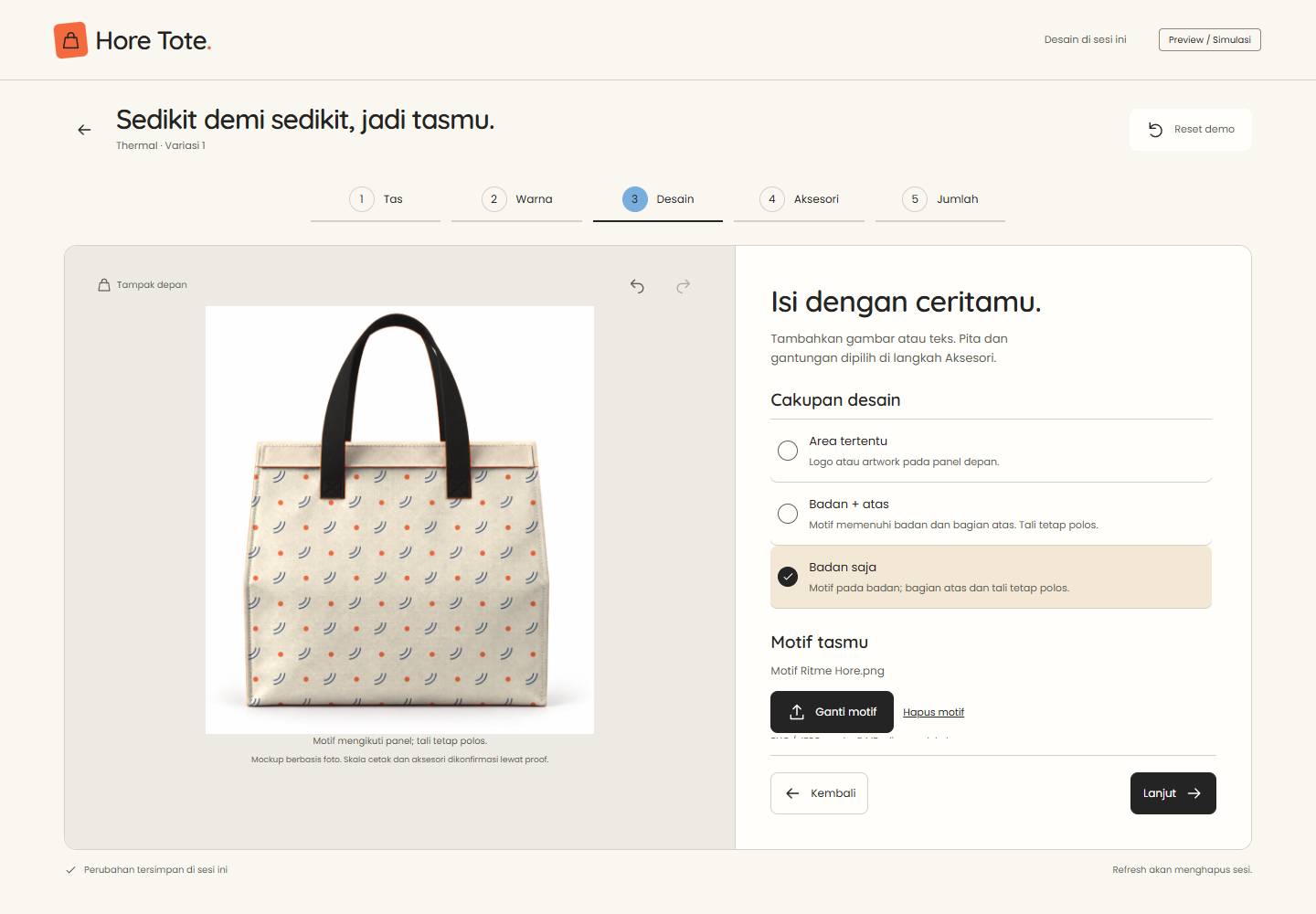
The pattern shown is a demo, not client artwork. The simulation uses the front-view photo without changing the bag’s shape or construction.
A cheerful identity, a calmer workspace
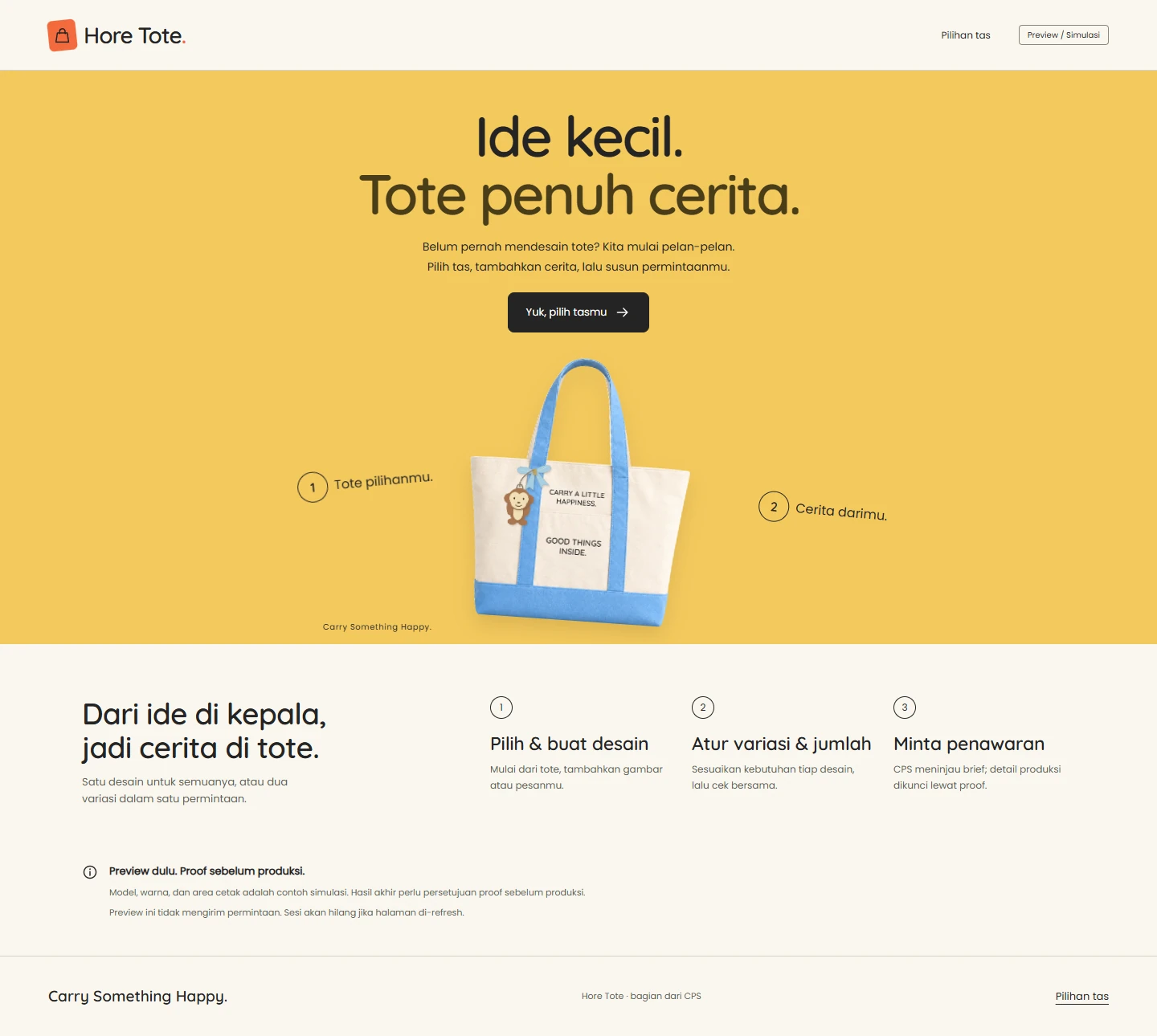
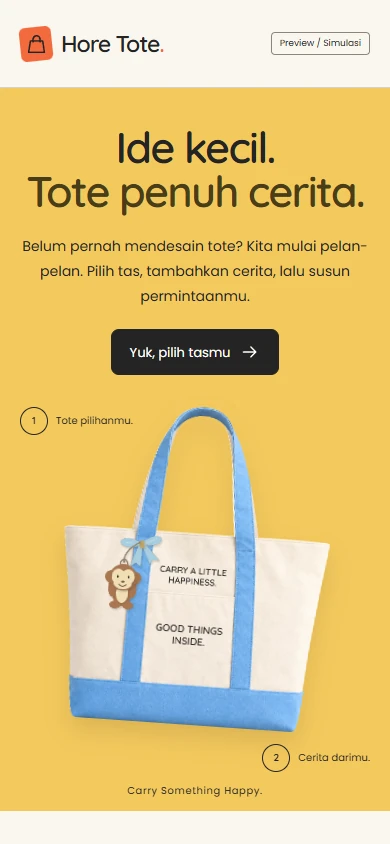
Carry Something Happy guides the visual direction. Tote photography takes the lead, supported by warm yellow, orange brand accents, and the rounded Quicksand typeface. The product is the first thing visitors see.
The background becomes calmer when users start designing. On desktop, the bag preview sits beside the settings panel; on mobile, the preview and controls stack vertically. This shift separates the brand introduction from the space for making choices.
The supplied product photos are not Lithe’s photography. Mockups and design placements are simulations, not photos of finished products.
View Mobile Homepage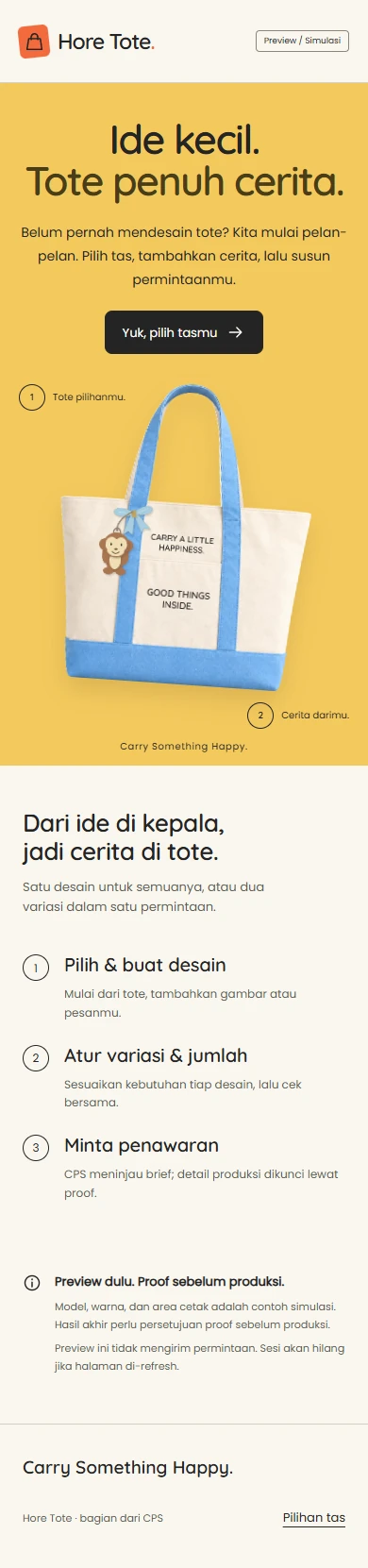
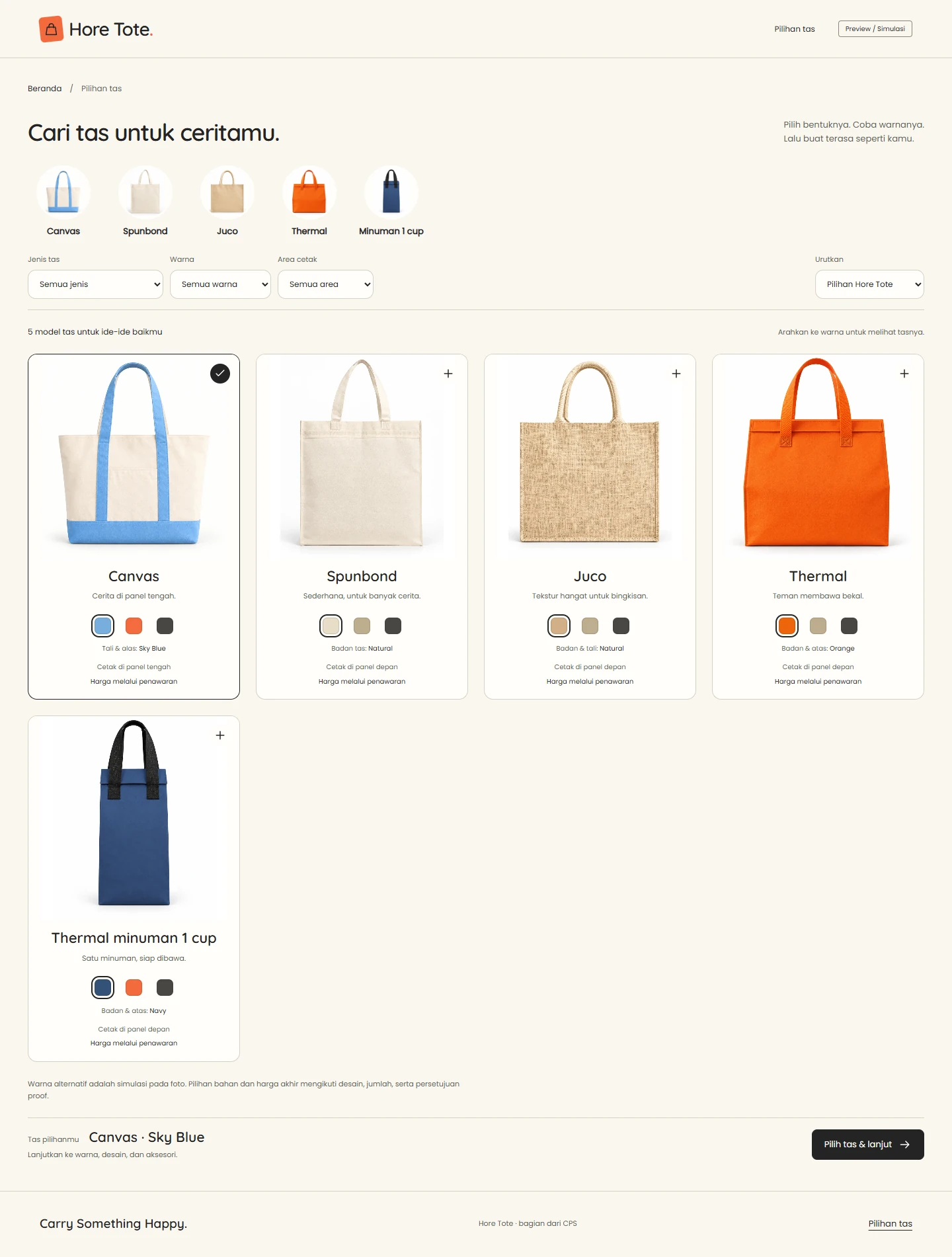
Product choices connected to the design
The catalog presents five models: Canvas, Spunbond, Juco, Thermal, and Thermal minuman 1 cup (a single-cup drink carrier). Photos, simulated color options, and print-area guidance help users compare models before opening the editor.
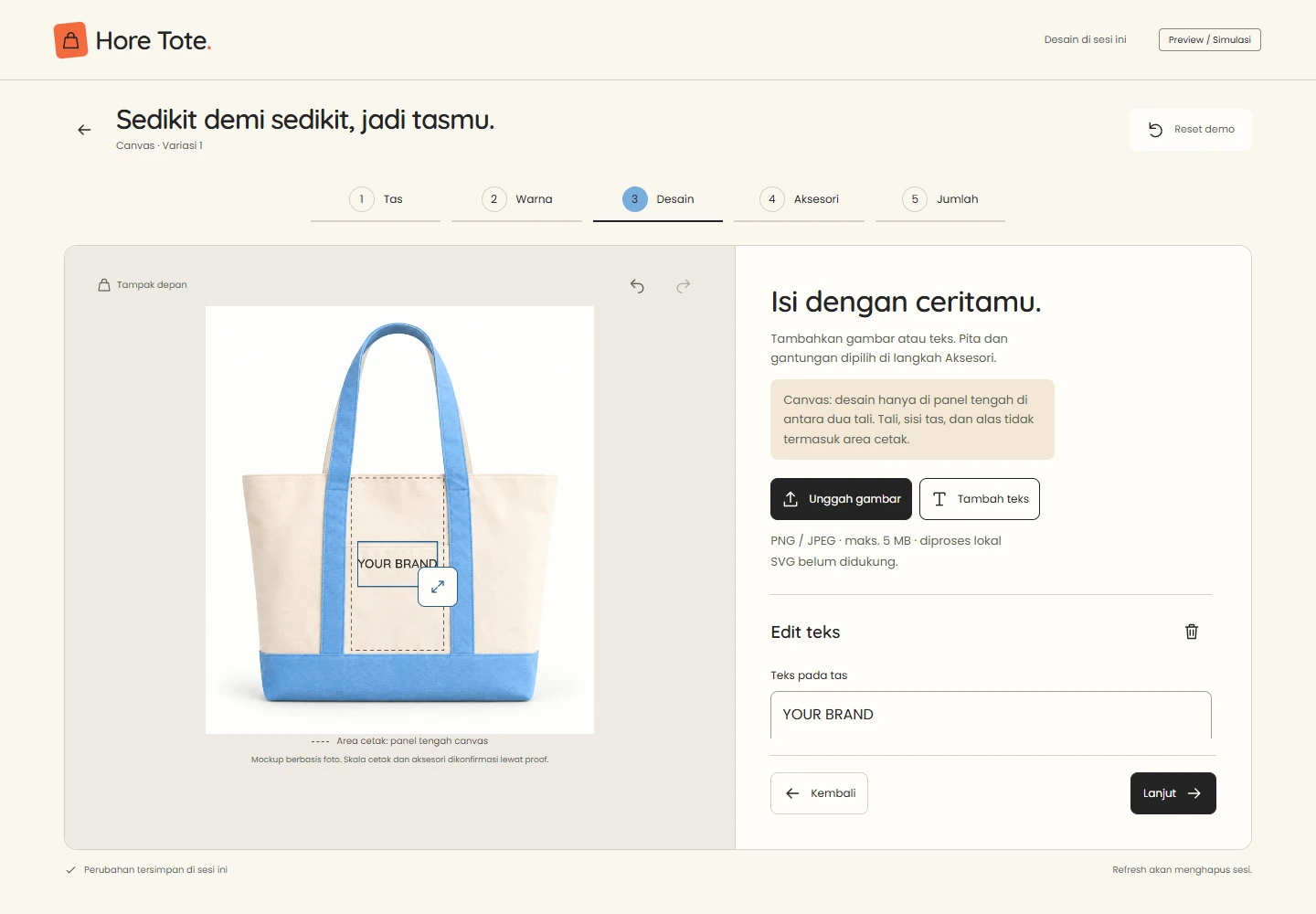
The next choices are split into five steps: Bag, Color, Design, Accessories, and Quantity. For Canvas, the print guide marks the center panel between the straps. This boundary gives users context when placing text, rather than suggesting the entire bag surface can be printed.

Reviewing requirements in one summary
Design variations can be duplicated and assigned different quantities. The summary brings each variation’s preview, model, color, and quantity together for review. The screenshot uses two test variations, not a customer order.
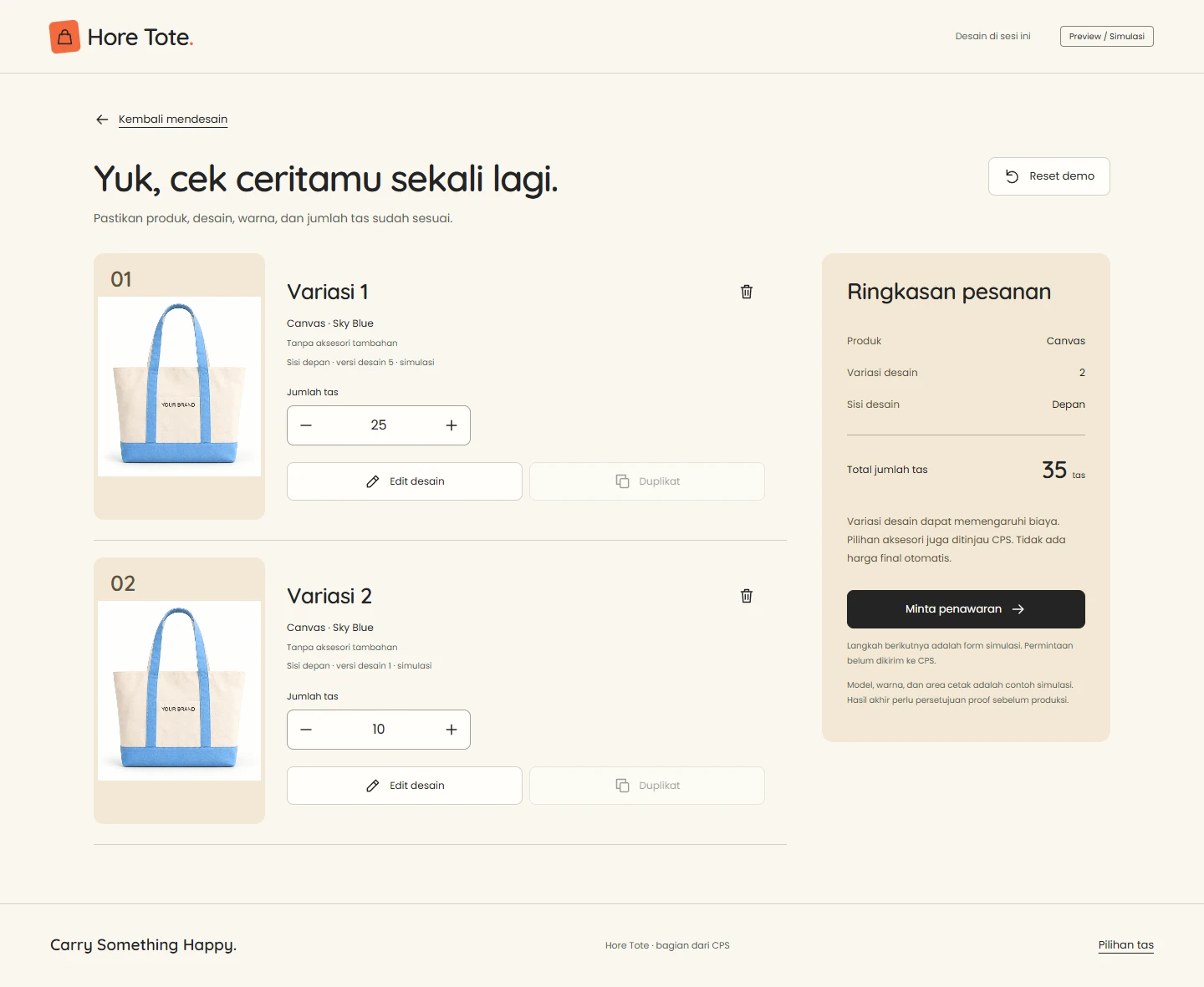
Project status: the website shown is an interactive prototype. Quote requests are simulated in the browser and have not been sent to the production team. Final pricing, material availability, print scale, and accessories need confirmation; production requires approval of a proof. This version has no checkout or payment.
The preview and controls stack vertically on mobile.
The editor and summary at a 390 × 844 viewport. Opening crops show each screen’s layout; open the images to inspect the full captures in Fit or Actual Size mode.


Does your product need custom options?
We help custom-product businesses turn product knowledge into choices customers can try on a website. Limited starting assets can become the basis for previews, design rules, and a requirements summary.
We can design a catalog and website journey around how your customers choose products.
Discuss Your Custom-product Website